Live captions for what you hear and what you say
sososo is a free, open-source desktop app for your calls. It captions the call audio and your microphone as separate speakers, can save the meeting window as a video, and turns each session into a summary you can ask questions about.
No account and no sososo server. Your API keys stay in the OS keychain.
Free · AGPL-3.0 · latest release · Windows, macOS, Linux · All downloads
A scripted demo of the sososo recording widget. Three people talk and their words appear as live captions, labeled You, Speaker 1 and Speaker 2. When the call ends, the session shows an AI summary. The buttons below control the demo.
00:00:00
Start recording from whatever app you're in
Ctrl+Alt+R starts a session and stops it again, even while sososo sits in the tray. Closing the window keeps a recording running in the background.
Shortcut: Ctrl+Alt+R, or Ctrl+Cmd+R on macOS.
The meeting banner, as it appears in the app on Windows.
Or let it notice the meeting
On Windows, sososo spots a Zoom, Teams, Google Meet or Webex meeting and offers to record it, in the app and as a system notification when the window is hidden. It only reads window titles, on your machine, and it won't ask twice about the same meeting.
00:00:42
The transcript knows who said what
sososo records the call audio and your microphone side by side, as two separate inputs. Your voice is always You. Everyone on the other end is told apart as Speaker 1, Speaker 2 and so on.
- Windows
- WASAPI loopback, no setup
- Linux
- Your output's monitor source, no setup
- macOS
- Route system audio through the free BlackHole driver
- Speaker 1 Can you share the new onboarding flow?
- You Sharing now. It's three screens instead of five.
- Speaker 2 What happens if someone skips the key step?
- You They land in Settings with the key field ready.
- Speaker 1 Good. Let's try it with support on Monday.
00:01:05
Words appear while people are still talking
Example: the caption first reads "Let's move the lunch", then corrects itself to "Let's move the launch to Friday" as the final line.
Interim words stream in while the sentence is still being spoken, and they can change as more audio arrives. When the speaker finishes, the line settles into its final form and stays put.
Any language Deepgram streams
Pick from 79 languages and regional variants on Deepgram Nova-3, or choose Auto-detect for calls that switch languages mid-sentence.
- Auto-detect (multilingual)
- Indonesian
- English (UK)
- Hindi
- Japanese
- Arabic (Egypt)
- Dutch
A second line in your language
Switch on translate in the widget and every final line gets a translation underneath, in the language you pick. The original stays where it is.
Indonesian call, translated to English. Translation runs on your AI provider.
00:12:30
Keep the meeting window as a video
Turn on Record video, pick the window from a thumbnail grid, and sososo saves an MP4 next to the transcript, with your mic and the call audio mixed in. It plays back on the session page.
Windows and macOS. If video capture hits a problem, the transcript keeps going.
00:47:10
Press finish, then ask what you missed
Every session ends with an AI summary: an overview, the key points and the action items. Next to the transcript sits a chat that answers from what was actually said, and it keeps its history with the session.
Runs on the model you pick
- OpenAI
- Anthropic Claude
- Google Gemini
- DeepSeek
- Grok
- Kimi
- GLM
- OpenRouter and other OpenAI-compatible endpoints
- Llama on your own machine
Choose one in Settings and paste your own key. A local Llama through Ollama, LM Studio or llama.cpp needs no key at all, and your summaries and chat never leave the computer.
No sososo server sits in the middle
The app talks to the services you set up, with your own keys, and to nothing else. Here is everything that leaves your computer, and where the rest stays.
-
Audio
Deepgram
Streamed over a secure WebSocket for live speech-to-text.
-
Transcript text
Your AI provider
Only when you ask for a summary, a translation or a chat answer. With a local Llama it stays on your computer.
-
API keys
Your OS keychain
Windows Credential Manager, macOS Keychain or the Linux Secret Service. Never a config file. They leave only as auth headers to the services above.
-
Sessions
Your disk
Transcripts, summaries and chats live in a local SQLite file.
-
Accounts and telemetry
None
There is nothing to sign up for and nothing phones home.
Watch a real session
Open on YouTube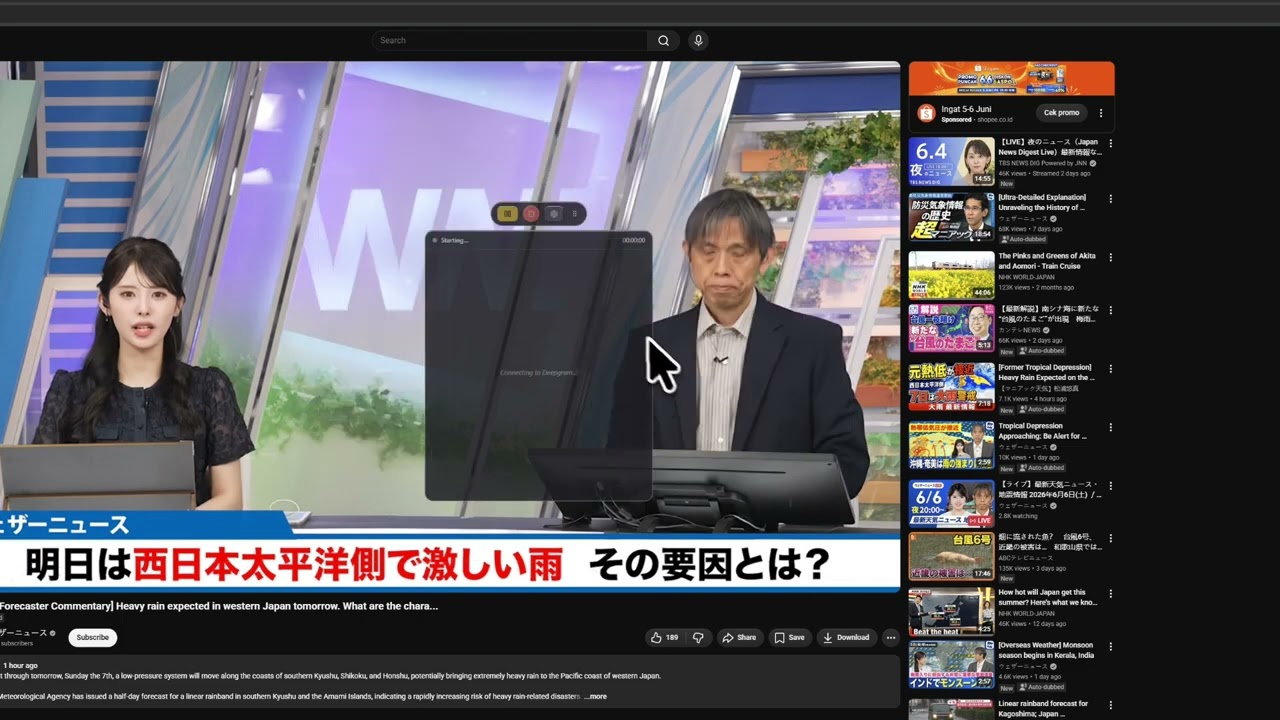
The video loads from youtube-nocookie.com only after you press play.
Free on Windows, macOS and Linux
latest release · Release notes
-
Windows
Windows 10 or 11. System audio through WASAPI loopback, no setup.
-
macOS
macOS 11 or later, Intel and Apple Silicon. System audio through the free BlackHole driver.
-
Linux
PulseAudio or PipeWire. Captures your output's monitor, no setup.
After you install
-
1
Open Settings and paste a free Deepgram API key. It's the one key you need for captions.
-
2
If you want summaries, translation and chat, pick an AI provider and add its key, or point it at a local Llama.
-
3
Press Ctrl+Alt+R, or the record button, and join your call.
A note on the first launch
The builds aren't code-signed yet, so your OS may warn you the first time. On Windows, choose More info, then Run anyway. On macOS, right-click the app and choose Open.
Every version is on the Releases page.
Every line of it is on GitHub
The Rust audio pipeline, the Deepgram streaming and the interface are all public under the AGPL-3.0. Issues and pull requests are welcome.
- AGPL-3.0
- Free to use. If you distribute or host a modified version, share your changes under the same license.
- Commercial license
- Lifts the copyleft for closed-source use. See LICENSING.md.
- Trademark
- The sososo name and logo are trademarks, so forks need a name of their own.